What Is Rainmeter? A Beginner's Guide to Windows Desktop Customization
Rainmeter is a free, open-source tool that lets you build a living, information-rich desktop on Windows. Here's how it works and why millions love it.
By The AuroraDeck Team
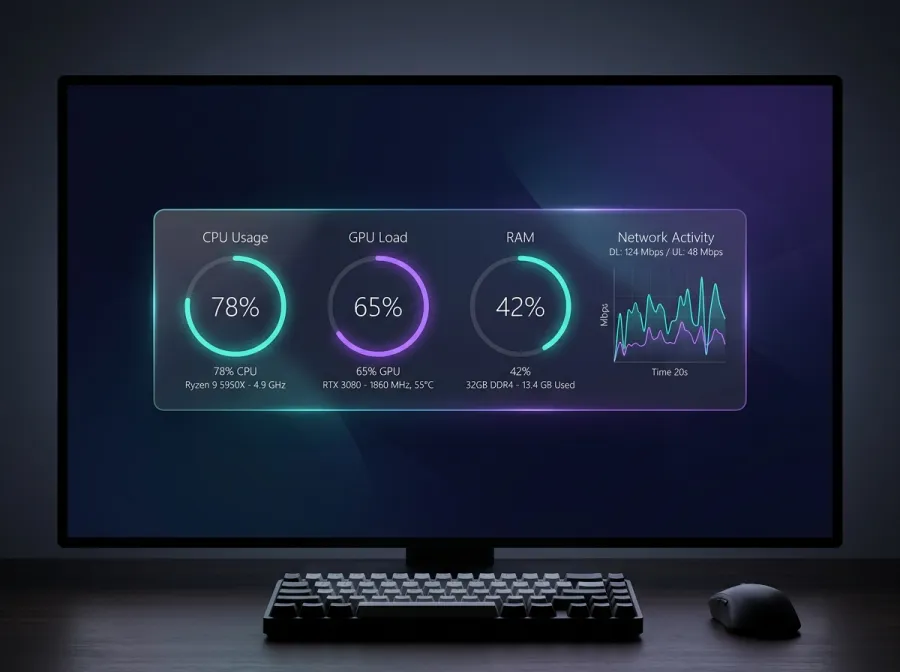
Rainmeter is a free and open-source desktop customization tool for Windows that has been running strong since 2001. At its core, Rainmeter displays small, movable applets — called skins — directly on your desktop. These skins can show system information like CPU load, RAM usage, disk space, network speeds, the time, the weather, your calendar, RSS feeds, now-playing music, and much more.
Unlike a static wallpaper, a Rainmeter desktop is alive. Every gauge, meter and readout updates in real time from your actual hardware and the web. Because Rainmeter is skin-based, you are never locked into one look: you can mix a minimalist clock from one suite with a bold system monitor from another and arrange them exactly how you like.
The reason Rainmeter is so beloved is that it hits a rare sweet spot — it is lightweight, endlessly customizable, and completely free. A well-built skin uses only a few megabytes of RAM and a fraction of a percent of CPU, so your desktop looks incredible without slowing your machine down.
At AuroraDeck, every skin we publish is built and tested against the latest stable release of Rainmeter. We focus on clean typography, real sensor accuracy and installers that 'just work' — so you can go from a blank wallpaper to a designer-grade desktop in minutes.
Keep reading
How to Install Rainmeter Skins in Under 2 Minutes
Installing a Rainmeter skin is easier than you think. This step-by-step guide walks you through .rmskin packages, loading, and positioning.
RoundupsThe 10 Best Rainmeter Skins to Try in 2026
From glassmorphism system monitors to neon audio visualizers, these are the Rainmeter skins defining desktop customization this year.